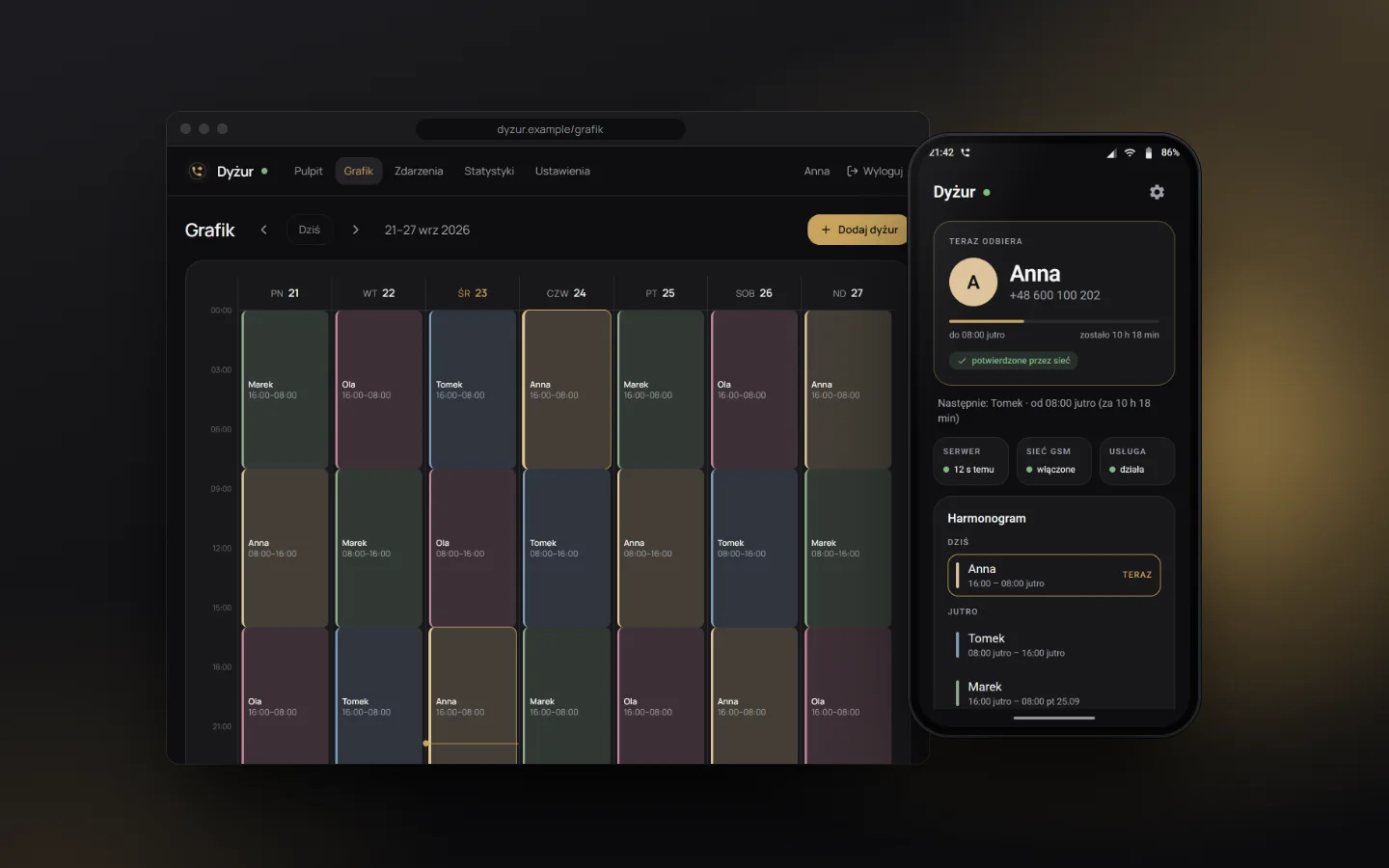
In short
- Panel: Next.js
- Phone: Android
- Sync: every 30 s
Challenge
Call forwarding is a code you dial on the phone. A server can't trigger it. So the phone had to follow the rota on its own around the clock, even when nobody touches it and the battery saver is doing its best to put the app to sleep. Add night shifts that start one day and end the next, and one more question: once the code has been dialed, how do you know forwarding is set as it should be?
Solution
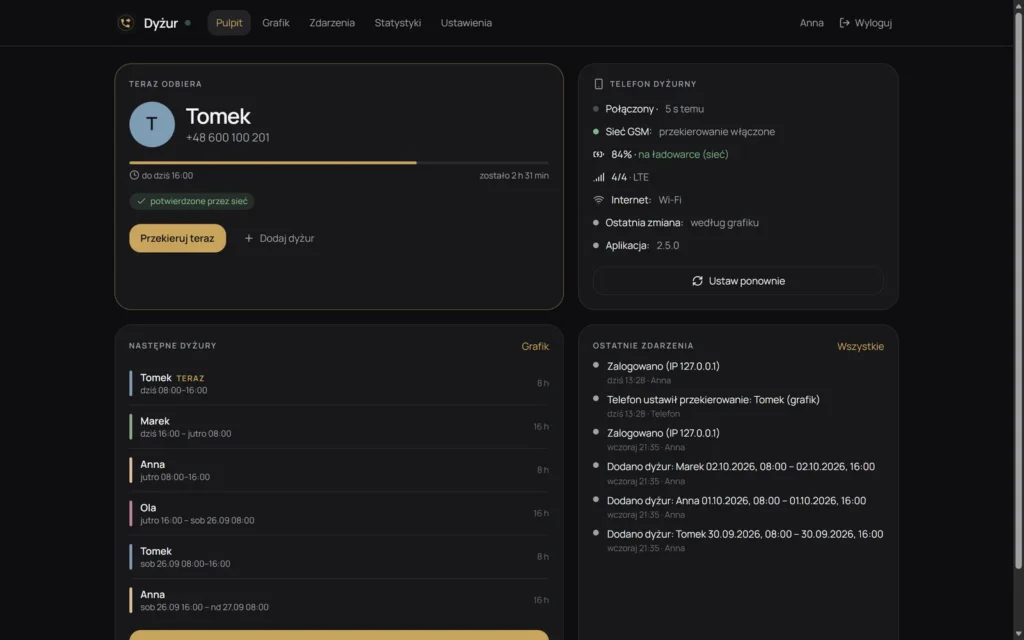
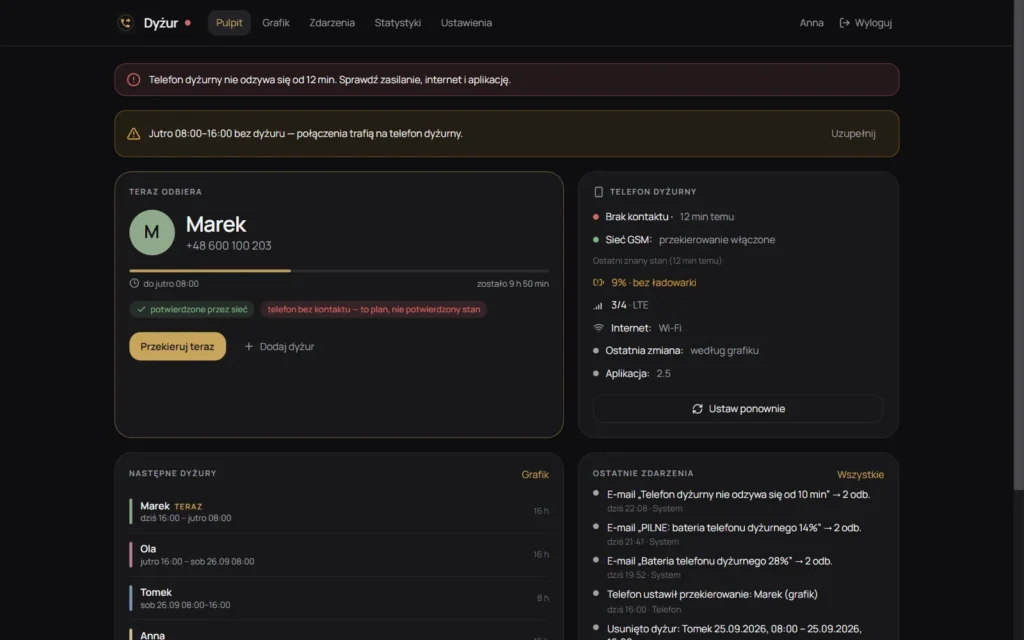
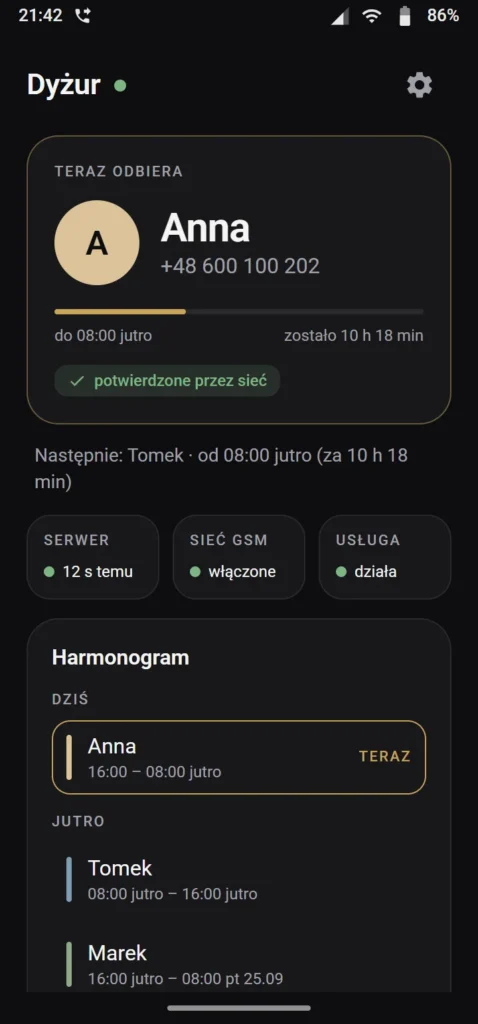
The server with the panel holds the only copy of the rota that counts. The Android app runs as a foreground service: every 30 seconds it fetches the rota, and when the person on duty changes, it dials the operator's forwarding code. It then reads the forwarding indicator from the network (on or off) and, if it doesn't match the plan, retries the code up to three times before reporting an error. Only a matching state reaches the panel as confirmed. The panel shows who is answering, when the phone last checked in and what it set, plus the phone's battery, signal and connection. A manual change applies until the end of the current shift. The app keeps a saved copy of the rota, so it keeps working without internet.
Process
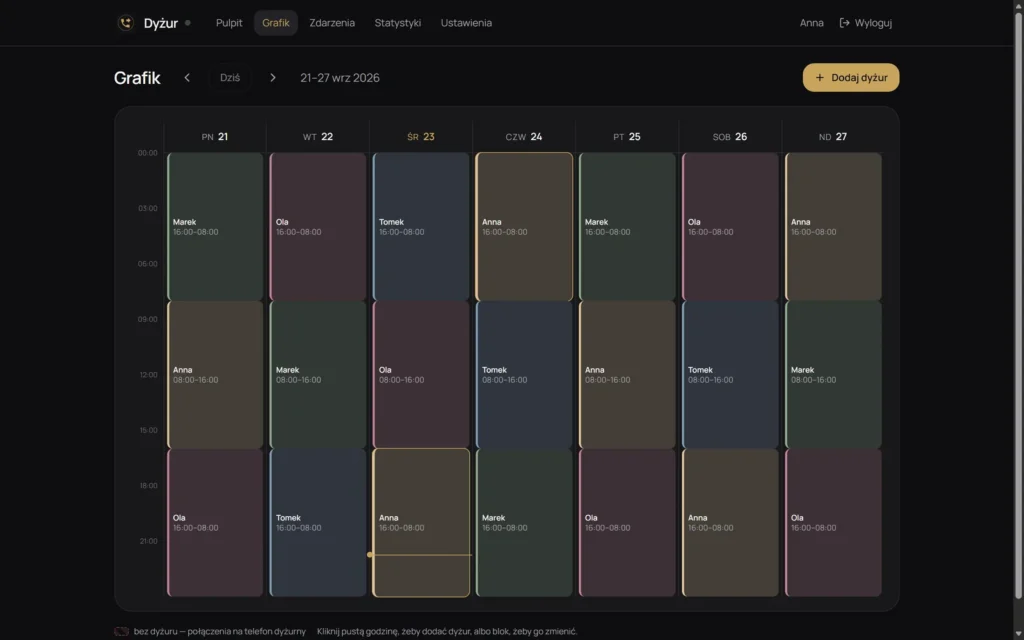
- Rota in the panel: shifts in a weekly grid, including night shifts past midnight, with a warning about hours with no one on duty (calls then go straight to the on-call phone).
- App on the on-call phone as a foreground service. It survives the battery saver and starts again after a reboot.
- Forwarding via the operator's code, then a read from the network to check that the indicator matches the plan, up to three attempts. A change takes effect within 30 seconds, the polling interval.
- Report to the panel: who is answering, when the phone last checked in and where the change came from (rota, manual, panel). Events are logged with their author and kept for 90 days.
- Alerts: an alarm in the panel when the phone has been silent for more than 2 minutes, and an email after 10 minutes and on low battery (below 30%, then below 15%).
- Deployment in Docker: backend tests run while the image is built, so failing tests block a release, and the database is backed up daily.
What it looks like
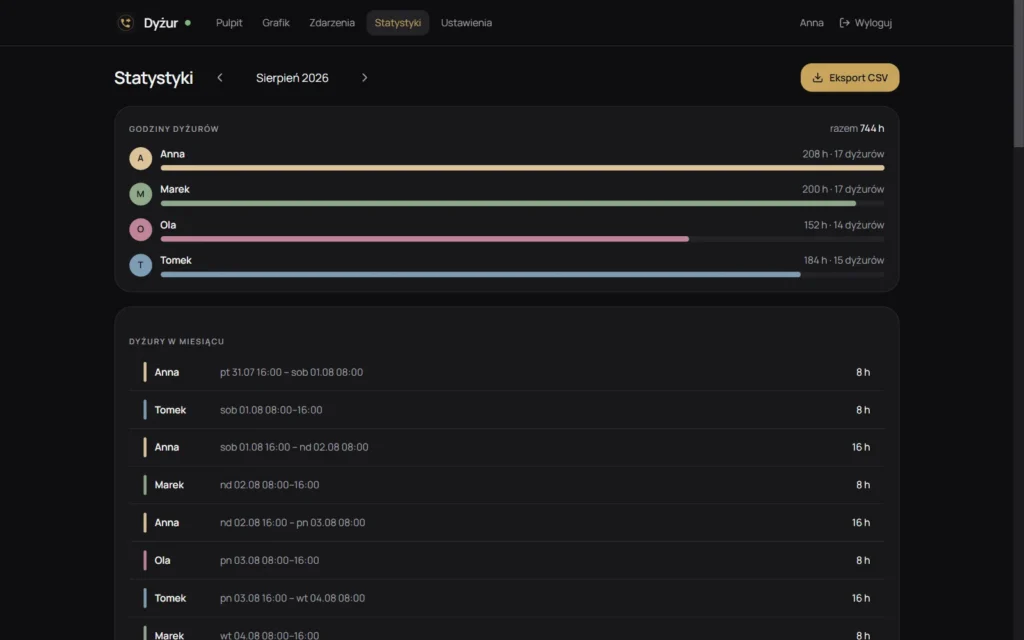
The first two images are screenshots from the demo version; the rest are mockups with sample data (made-up names and numbers).
What it can do
- Weekly rota. Day and night shifts in one grid, up to 72 hours, with no overlaps. Empty hours are visible right away, before someone calls into the void.
- Confirmation from the network. Dialing the code isn't the end of it. The phone reads from the network whether forwarding is on or off as planned, and if there's a mismatch, it retries the code up to three times. The network doesn't reveal the target number, so the app doesn't check it.
- Change from the panel. Someone's sick? One click in the panel and the phone switches within half a minute, until the end of the current shift. There's also “Back to rota” and “Set again”.
- Alarm when the phone goes silent. The panel shows when the phone last checked in, warns after more than 2 minutes of silence, and sends an email after 10 minutes (and another one when the phone is back).
- Battery and signal. The panel shows the on-call phone's battery, signal and operator, and whether it's charging. An email arrives below 30% battery, an urgent one below 15%. With no signal, the panel says that forwarding can't be changed right now.
- Self-repair. When the network shows a different state than planned, the app retries the code by itself after a minute.
- Works without internet. The phone keeps the saved rota and switches forwarding even when mobile data is temporarily unavailable.
- Accounts and event log. Login with a limit on attempts, sign-out from all devices, and every change recorded in the log with its author, plus filters.
- Statistics and export. On-call hours per person per month (shifts that cross a month boundary are counted proportionally) and CSV export, with no copying from paper.
- Backups. A daily database backup (the last 14 are kept) and a backup you can download with one click in the panel settings.
Technical details
- Panel: Next.js 16, React 19, Prisma, SQLite
- App: Android 8+ (Kotlin, Jetpack Compose), foreground service
- Sync: every 30 s, more often just before a shift change
- Notifications: alarm in the panel and email (SMTP)
- Tests: 51 in the backend and 13 in the app, run when the backend image is built
- Deployment: Docker, GitHub Actions
- Limitations: one on-call phone with one SIM card; the list of people is hard-coded; no iOS
Privacy
The on-call staff's phone numbers are stored only on the server and on the on-call phone. The screenshots and the phone on this page come from the demo version and mockups: the names and numbers are made up. The on-call phone sends the panel its technical status (battery, signal, network, app version) and the forwarding confirmation, and passwords are stored as hashes.